SVG vs PNG QR Codes: Which Should You Use?
The short answer for SVG vs PNG QR codes: use SVG for anything printed (vector, scales without loss), use PNG for digital use where you need transparency or a fixed pixel size, and avoid JPG unless an old workflow forces it. The longer answer — and the trade-offs in file size, sharpness, and scan reliability — is what the rest of this guide covers, with a clear framework for picking the right format every time.
What Is SVG?
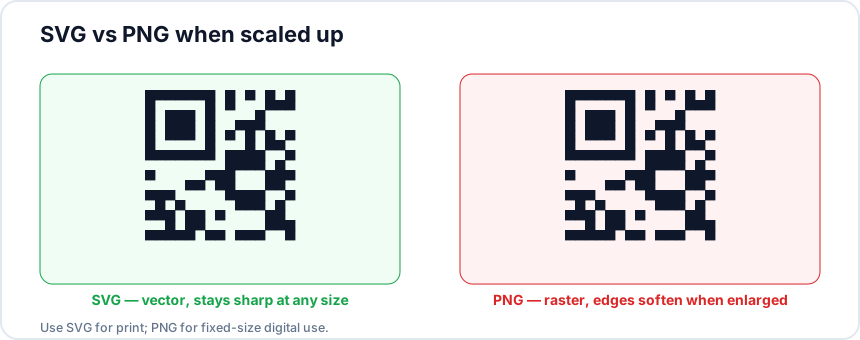
SVG stands for Scalable Vector Graphics. Unlike pixel-based images, SVG files describe shapes using mathematical coordinates. A QR code in SVG format is essentially a set of instructions that say "draw a black square at position X, Y with width Z." Because these instructions are resolution-independent, an SVG QR code looks perfectly crisp whether it is displayed on a phone screen or printed on a 10-foot banner.
SVG files are also remarkably small. A typical QR code SVG weighs between 2 KB and 10 KB, regardless of the display size. The file is plain XML text, which means it is also easy to edit, style with CSS, or embed directly into HTML. For web developers and designers, this makes SVG the most flexible choice by far.
What Is PNG?
PNG stands for Portable Network Graphics. It is a raster format, meaning the image is made up of a fixed grid of pixels. A PNG QR code generated at 500 x 500 pixels contains exactly 250,000 pixels, and scaling it up beyond that resolution will introduce blurriness.
The key advantage of PNG is universal compatibility. Every device, app, social media platform, email client, and messaging service can display a PNG image without any issues. PNG also supports transparency, which is useful if you want your QR code to appear over a colored or textured background. A typical QR code PNG at 1024 x 1024 pixels weighs between 15 KB and 50 KB depending on complexity and color choices.
When to Use SVG
SVG is the best choice when you need:
- Print materials. Business cards, posters, brochures, packaging, and banners all benefit from vector graphics that stay sharp at any print size.
- Large-format output. If the QR code will be displayed on signage, trade show displays, or vehicle wraps, SVG guarantees no pixelation regardless of scale.
- Responsive web design. Embedding an SVG QR code on a webpage means it adapts cleanly to any screen size without loading multiple image resolutions.
- Professional design workflows. SVG files can be opened and edited in Adobe Illustrator, Figma, Sketch, and other design tools without quality loss.
If you are working with a print shop or graphic designer, always provide the SVG version. They will thank you for it. You can generate SVG QR codes instantly with QRStudio's free generator.
When to Use PNG
PNG is the better option when you need:
- Social media posts. Instagram, Facebook, X (Twitter), and LinkedIn all handle PNG uploads natively. Most platforms do not support SVG uploads at all.
- Messaging apps. Sharing a QR code via iMessage, WhatsApp, or Slack requires a raster format. PNG is the universal standard here.
- Email campaigns. Email clients have inconsistent SVG support. PNG is the only reliable format for embedding QR codes in HTML emails.
- Quick sharing. When you just need to text someone a code or drop it into a document, PNG is the path of least resistance.
When generating a PNG for these purposes, QRStudio defaults to 1024 x 1024 pixels, which is more than sufficient for screen-based use and light printing.
What About JPG?
JPG (also written as JPEG) is a lossy compression format designed for photographs. It can work for QR codes, but it comes with two notable drawbacks. First, JPG does not support transparency. If your design requires a QR code on a non-white background, you will get a white rectangle around the code. Second, JPG compression introduces artifacts, the subtle blurring and color shifting you see in heavily compressed photos. For high-contrast graphics like QR codes, these artifacts can reduce scannability, especially at lower quality settings.
That said, JPG is fine for casual use cases where file size matters more than precision. Some platforms compress uploads to JPG automatically, so your PNG may end up as a JPG anyway. QRStudio supports JPG export for exactly these situations.
File Size Comparison
Here is a typical comparison for the same QR code encoding a URL:
| Format | Typical Size | Scalability | Transparency |
|---|---|---|---|
| SVG | 2 – 10 KB | Infinite | Yes |
| PNG | 15 – 50 KB | Fixed (1024px) | Yes |
| JPG | 20 – 60 KB | Fixed (1024px) | No |
QRStudio Supports All Three Formats
You do not have to choose upfront. With QRStudio, you can generate your QR code once and download it in SVG, PNG, or JPG with a single click. Many users download both SVG (for their designer or print shop) and PNG (for social media and email) from the same code.
Because QRStudio runs entirely in your browser, there is no server upload, no account required, and no limit on how many codes or formats you download.
Quick Decision Guide
Still not sure? Use this simple rule of thumb:
- Will it be printed? Use SVG.
- Will it be shared on a screen (social, email, chat)? Use PNG.
- Do you need the smallest possible file and do not care about transparency? Use JPG.
- Not sure? Download both SVG and PNG. You are covered for every situation.
The most important thing is to match the format to the medium. A beautiful SVG will not help if you are trying to paste it into an iMessage. A tiny PNG will not hold up on a billboard. Choose the right tool for the job, and your QR codes will always look and scan their best.
Generate your QR code in any format
Download as SVG, PNG, or JPG. Free, instant, no sign-up required.
Try QRStudio Free